

 Français
 Deutsch
 Italiano
 Русский
 Español
 Português
 Nederlandse
 Ελληνικά
 日本語
 한국
 中文
 العربية
 हिन्दी
 Türkçe
 Indonesia
 Tiếng Việt
 ไทย
 বাংলা
 فارسی
 Polski
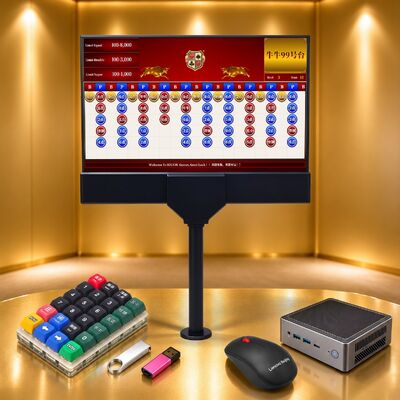
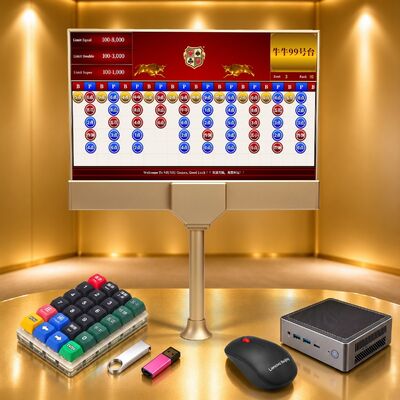
High Quality Niu Niu Game Casino System for Poker Table Game
High Quality Niu Niu Game Casino System for Poker Table Game
PRODUCT DESCRIPTION
It replaces error-prone manual paper logging with clear high-definition electronic display, effectively reducing payout disputes and boosting daily on-site operational efficiency. It features power-off data memory, customizable brand UI and multiple game rule modes, runs stably 24/7 for commercial use, fits premium standard casino display hardware, and serves as a reliable practical upgrade for poker clubs and casino gaming floors.
PRODUCT PARAMETER
| Brand Name | YANGMING |
| Type | Casino table games |
| Model No. | YM-EC-NN-V2 |
| Usage | Casino poker table games |
| Color | View product pictures, the actual product shall prevail |
| Menu | A.B.C.D.E.F.G |
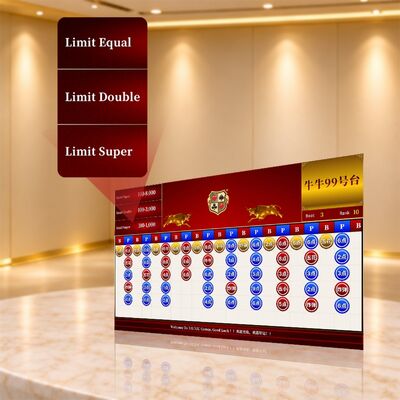
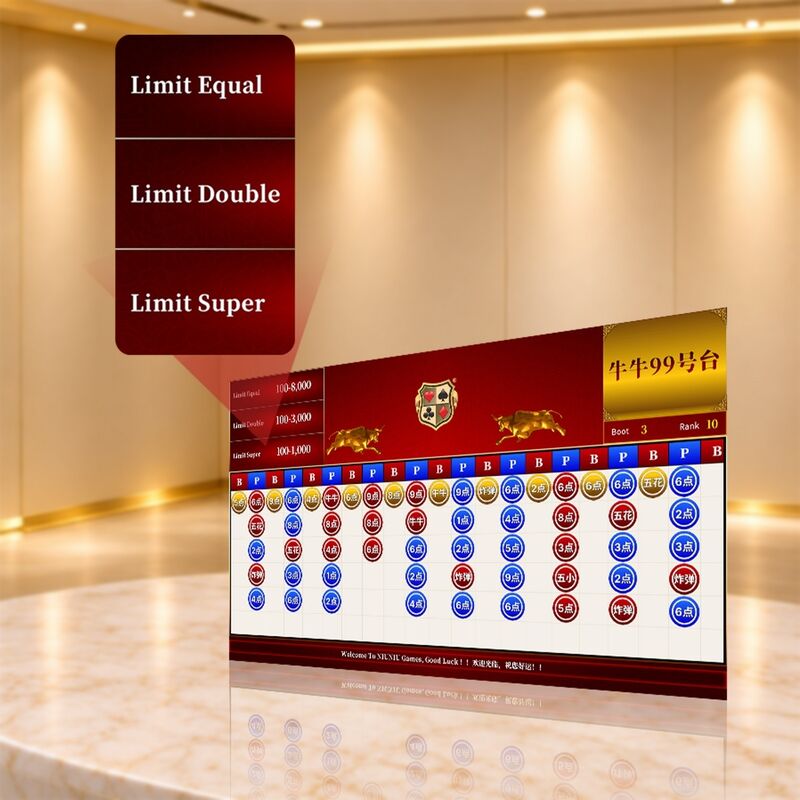
| Game | Limit Equal, Limit Double, Limit Super |
| Language | Chinese, English |
| Logo | Customizable and replaceable |
| Moq | 1 SET |
| Sample | Sample service is not provided |
| Shipping | Choose air or sea transportation according to purchasing needs |
| HS CODE | 803001000(USB)/8471609000(Computer Host)8471609000(Computer Monitors) 8471607100(Wireless Keyboard)/8471607200(Wireless Mouse) |
Key Selling Points
-
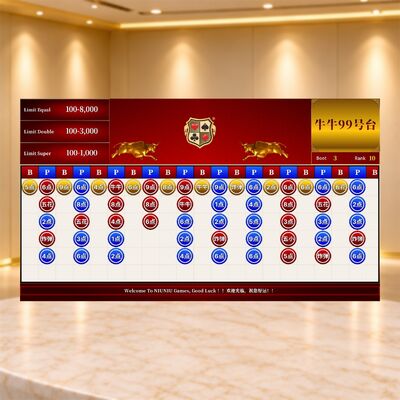
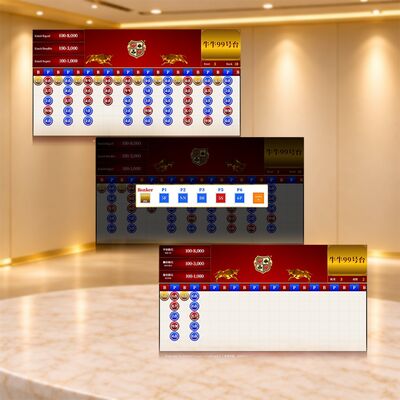
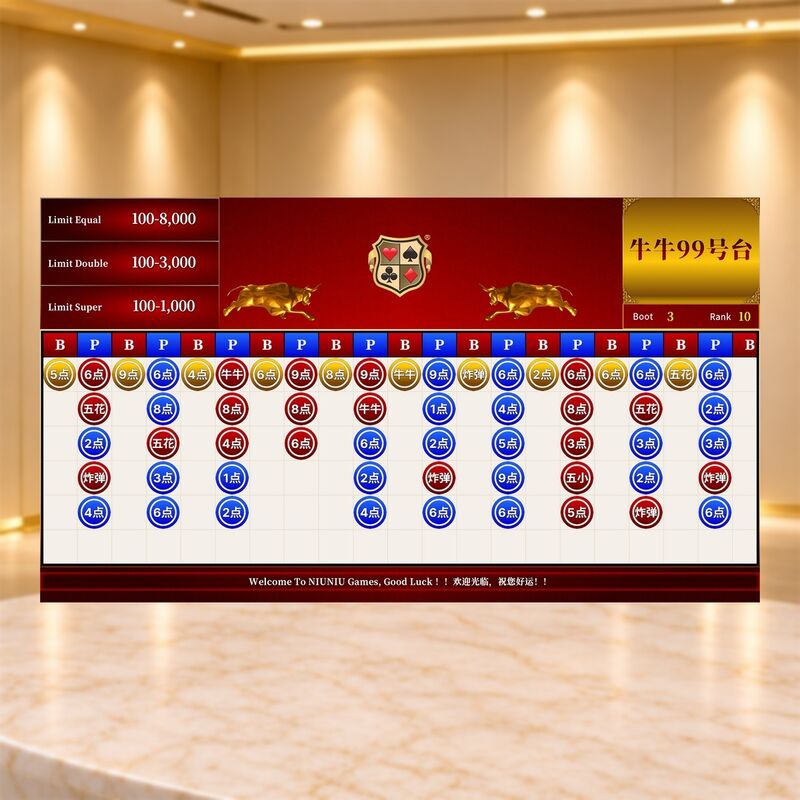
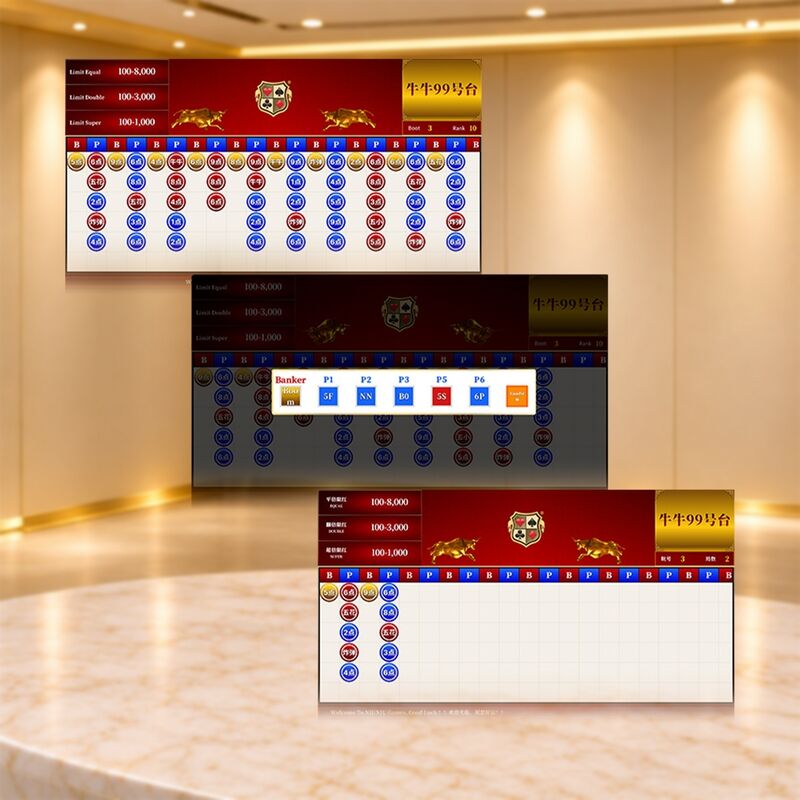
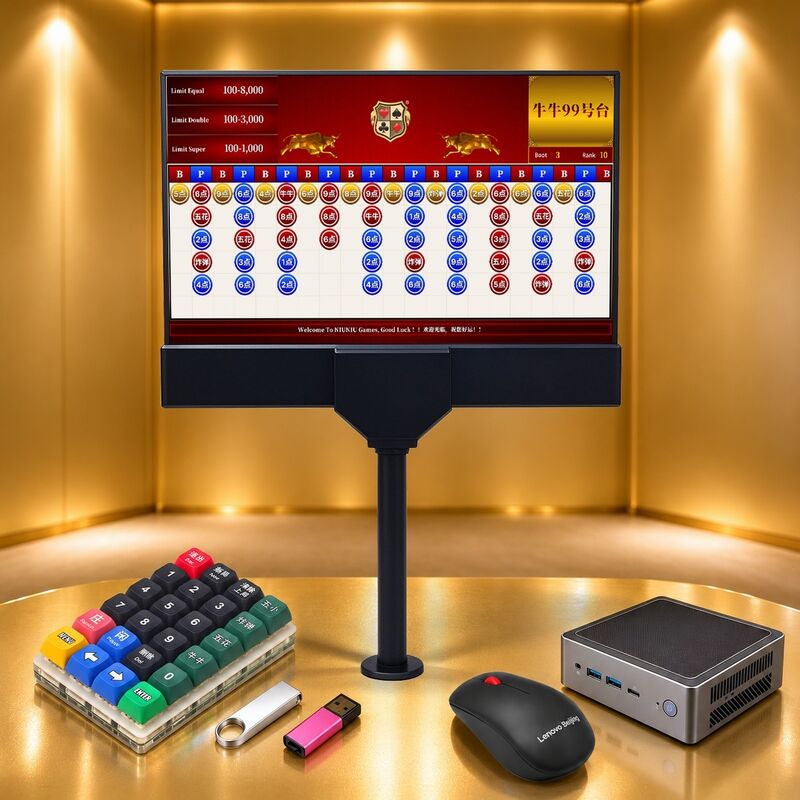
Result Display and Entry in One Interface: Combines historical game records and manual result entry, making the main operating information accessible from one screen.
-
Six Hand Type Categories: Displays No Niu, Niu 1–9, Niu Niu, Bomb, Five Face Cards, and Five Small Niu.
-
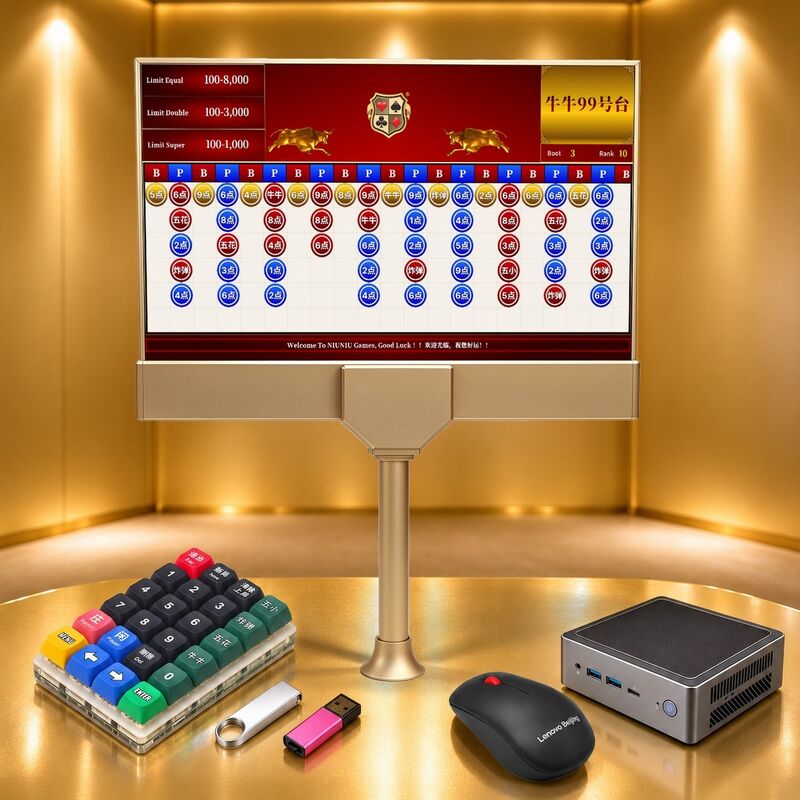
Dedicated Keyboard: Supports quick result input, deletion of the last result, and confirmation of each round.
-
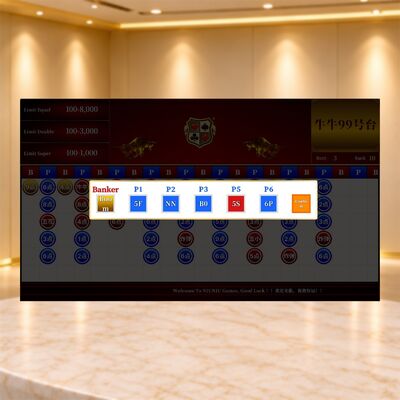
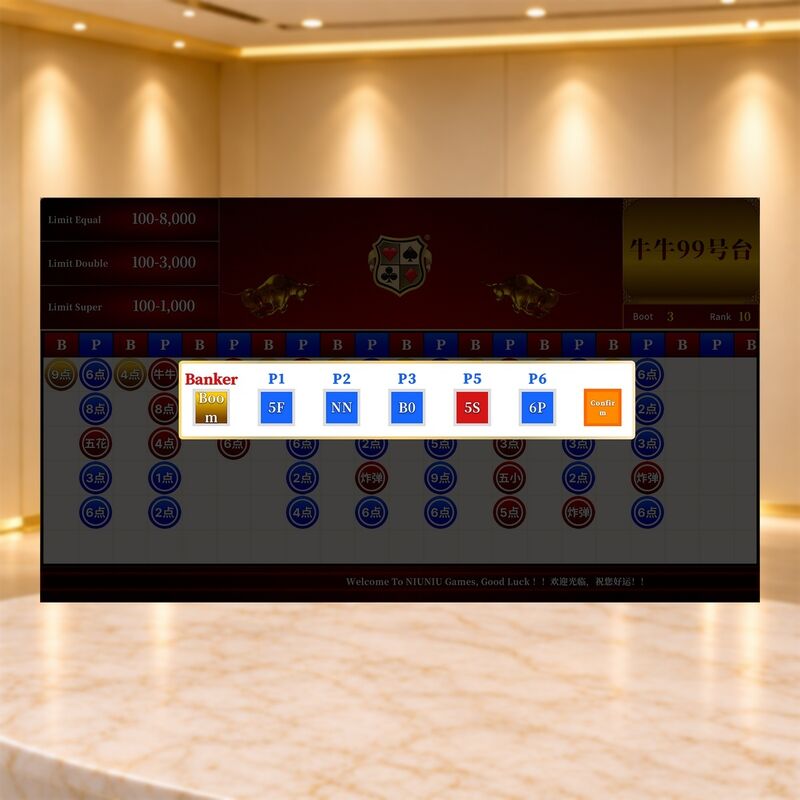
Simple Entry Workflow: Open the entry window, select the results for each displayed position, and confirm the round.
-
Multiple Entry Positions: The illustrated interface includes Banker, P1, P2, P3, P5, and P6.
-
Three Betting Limit Areas: Displays separate Equal, Double, and Super limit ranges.
-
Clear Historical Records: Uses colored symbols and a structured layout to present the results of previous rounds.
-
Table Information Display: Includes table identification, Boot number, and Rank information in the main interface.
-
Casino Project Application: Suitable for Niuniu casino game software projects requiring result recording and display functions.
PRODUCT DETAILS

FAQ
1. Can the game history display different hand types with different colors?
Yes. The product image shows colored symbols and markers for distinguishing different results. This visual presentation helps operators identify the recorded hand types more easily.
2. How do operators enter a new game result?
According to the illustrated workflow, operators first press Enter to open the result entry window. They then select the corresponding results for each displayed position and click Confirm to record the round.
3. Does the system include a dedicated keyboard?
Yes. The product image shows a dedicated keyboard with keys for result selection, number input, Banker and Player selection, deletion, menu access, direction control, and Enter operation.
4. What is the function of the Enter key?
The Enter key is used to open the result entry window, according to the operation instructions shown in the image. It provides direct access to the result input process.
5. How do operators confirm a round after entering results?
After selecting the required results for the displayed positions, operators click the Confirm button. The illustrated process identifies this action as the step for recording the round.
6. Can the operator delete an incorrectly entered result?
The dedicated keyboard includes a Del function, and the feature description specifically identifies deleting the last result. The exact deletion scope and whether earlier records can be edited should be confirmed with the manufacturer.
ABOUT US
Custom Acrylic RFID Casino Chips for Poker Table Games PRODUCT DESCRIPTION These custom acrylic RFID casino chips are engineered for poker table gaming scenarios. Built with integrated RFID technology, they enable quick identification and intelligent tracking. Boasting sturdy acrylic construction, ...
Casino RFID Baccarat Table with Custom Leather and Table Layout PRODUCT DESCRIPTION Personalize your baccarat table to suit the visual identity and operational layout of your gaming venue. The illustrated design features a blue padded rail, a printed betting layout and a black-and-gold base. ...
Customized RFID Chip Management Solution for Casino Operations PRODUCT DESCRIPTION This customized RFID chip management system adapts to diverse casino operational workflows. It supports tailored software settings for chip receiving, cashing out and inventory audits. Featuring fast RFID chip ...
Wholesale Ceramic Poker Chips for Casinos and Gaming Clubs PRODUCT DESCRIPTION These ceramic poker chips are intended for wholesale buyers serving casinos, gaming clubs, poker rooms, and gaming supply businesses. The displayed range includes two round chip sizes and a rectangular plaque option, ...

