

 Français
 Deutsch
 Italiano
 Русский
 Español
 Português
 Nederlandse
 Ελληνικά
 日本語
 한국
 中文
 العربية
 हिन्दी
 Türkçe
 Indonesia
 Tiếng Việt
 ไทย
 বাংলা
 فارسی
 Polski
Factory Price Niu Niu Game Casino Software for Casino Poker Table
It features real-time hand result recording, automatic win-loss calculation and road map updates, fully cutting manual scoring errors and reducing daily operational labor costs for gaming venues. With competitive factory direct pricing and tiered bulk discounts, it runs stably for 24/7 commercial use, fits standard table display systems, supports basic custom settings, and is an ideal budget-friendly choice for distributors, chain venues and new casino startup projects.
PRODUCT PARAMETER| Brand Name | YANGMING |
| Type | Casino table games |
| Model No. | YM-EC-NN-V2 |
| Usage | Casino poker table games |
| Color | View product pictures, the actual product shall prevail |
| Menu | A.B.C.D.E.F.G |
| Game | Limit Equal, Limit Double, Limit Super |
| Language | Chinese, English |
| Logo | Customizable and replaceable |
| Moq | 1 SET |
| Sample | Sample service is not provided |
| Shipping | Choose air or sea transportation according to purchasing needs |
| HS CODE | 803001000(USB)/8471609000(Computer Host)8471609000(Computer Monitors) 8471607100(Wireless Keyboard)/8471607200(Wireless Mouse) |
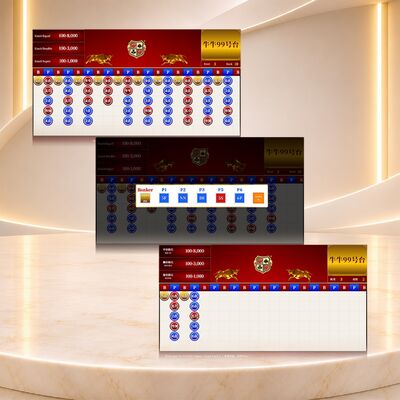
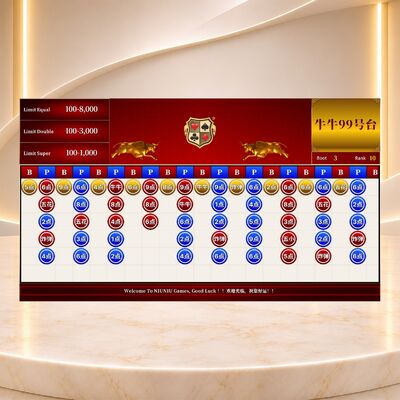
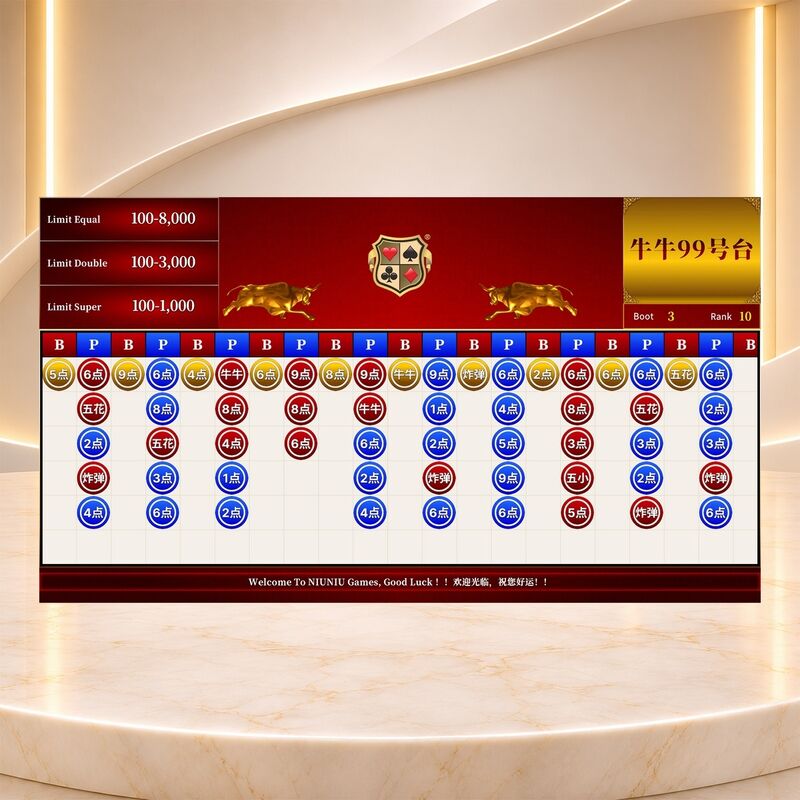
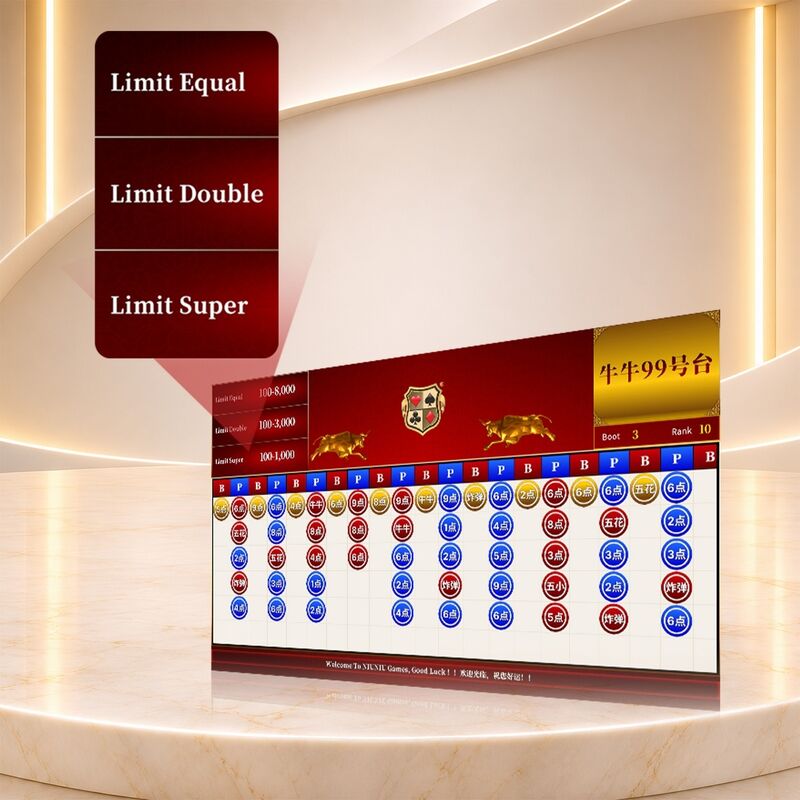
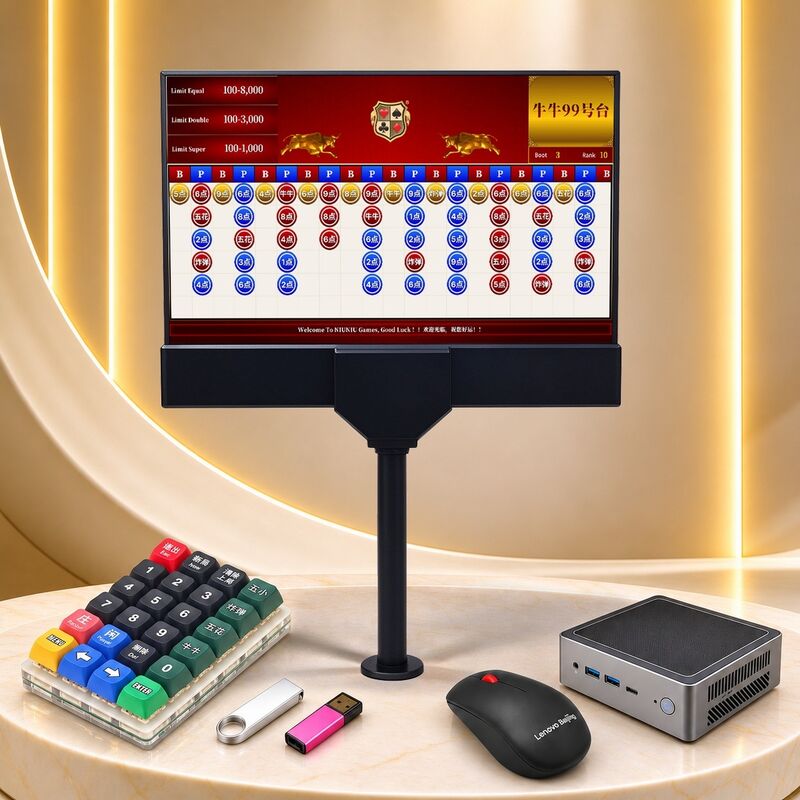
Displays the historical results of each round with recognizable hand-type indicators, helping operators review recorded outcomes.
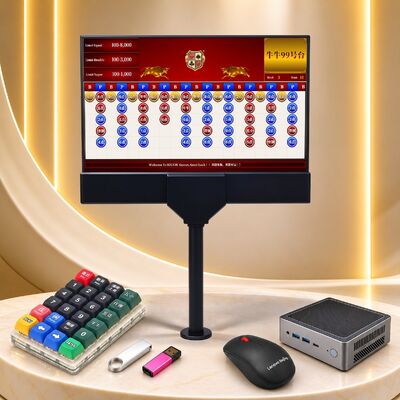
The dedicated keyboard provides quick access to result entry, last-result deletion, confirmation, and other illustrated control keys.
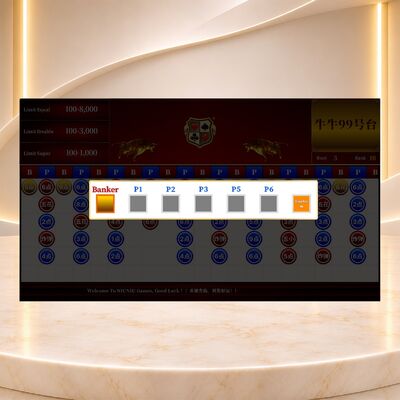
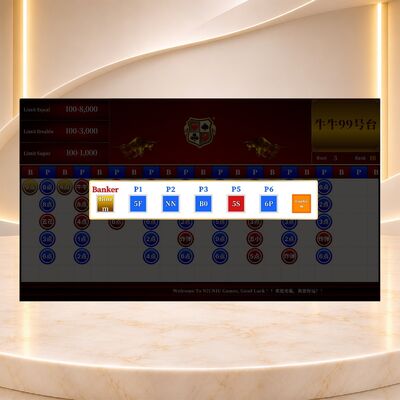
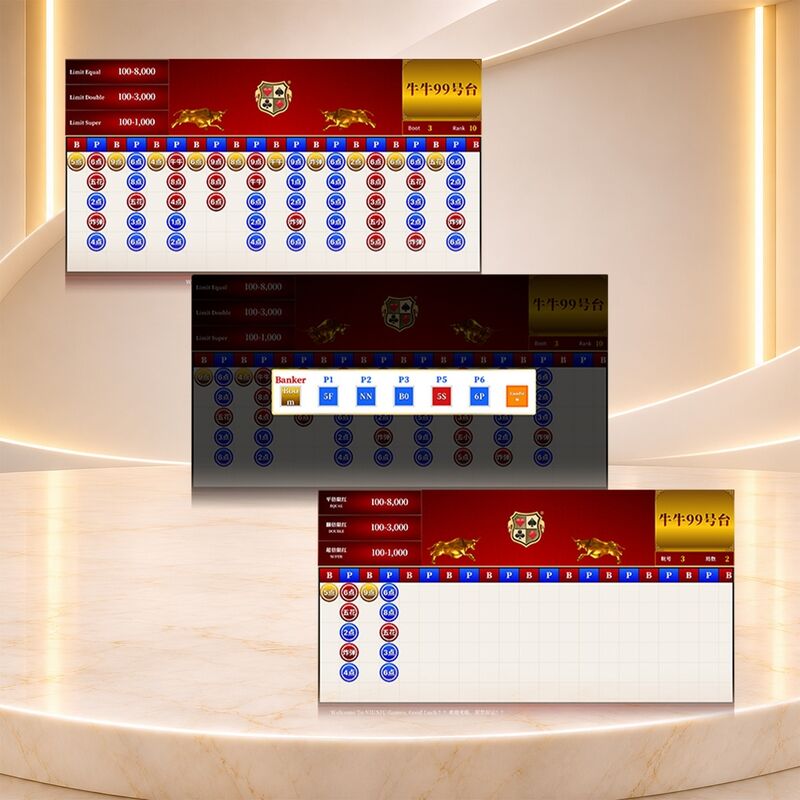
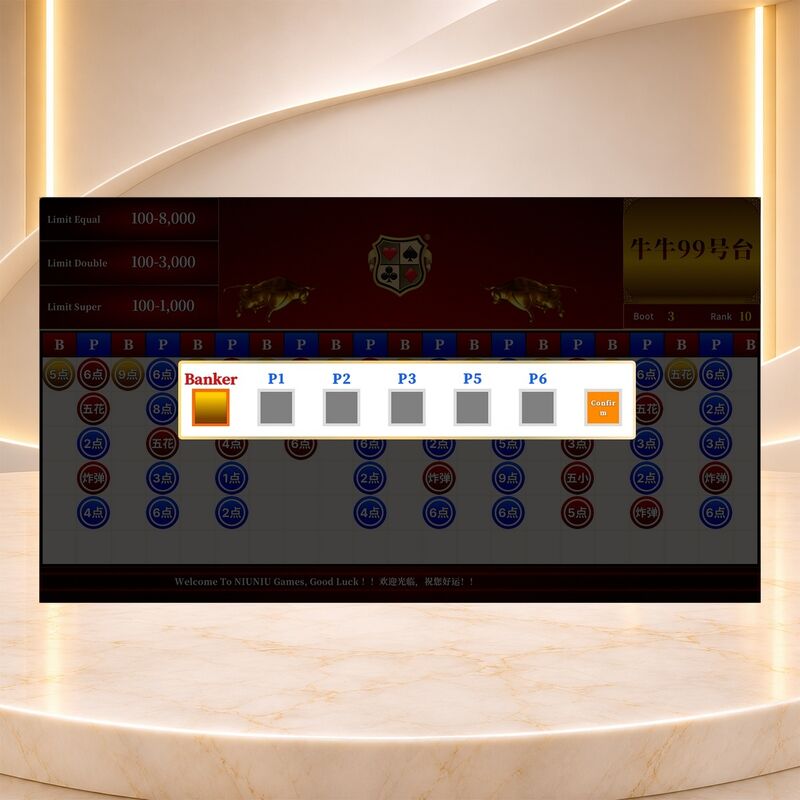
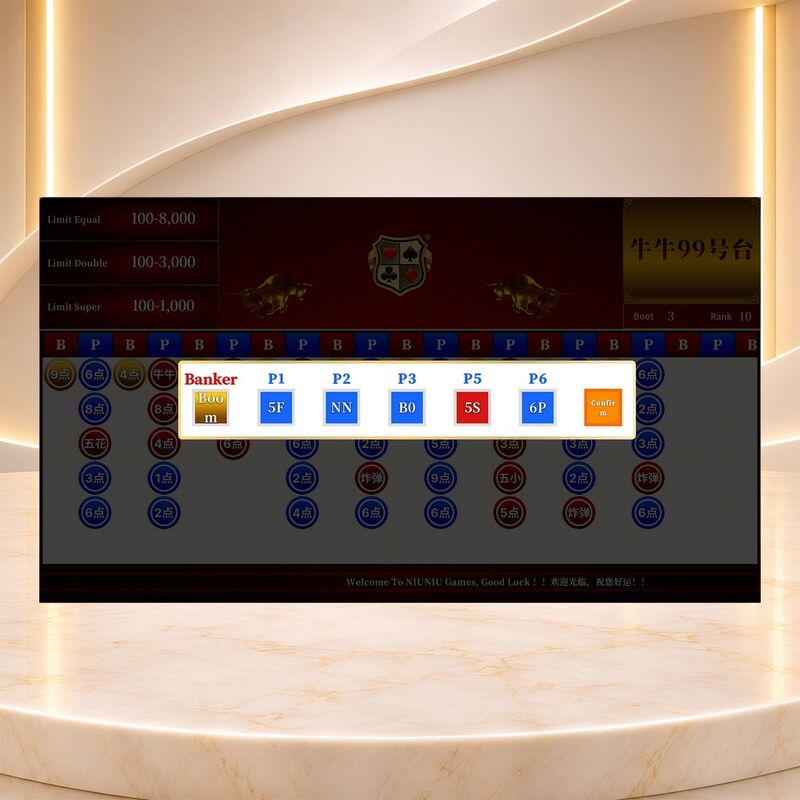
Operators can open the entry window, select the required outcomes for each displayed position, and confirm the round before it is recorded.
The interface identifies No Niu, Niu 1–9, Niu Niu, Bomb, Five Face Cards, and Five Small Niu.
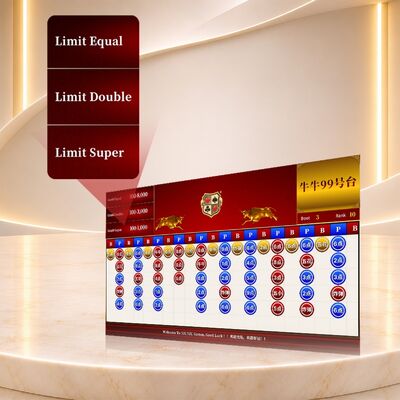
Three separate limit areas are displayed to distinguish the different betting limit categories.
The illustrated entry window provides separate selection fields for Banker and the displayed player positions.
Table identification, Boot number, and Rank are presented in the upper section of the game interface.
Different colors and symbols are used to distinguish hand types and improve the readability of the displayed records.

1. Can the betting limits be customized?
The image confirms that Equal, Double, and Super limits are displayed, but it does not explain how these values are configured. Please provide your required limit settings so the manufacturer can confirm whether customization is supported.
2. Does the interface show table and game information?
Yes. The top section displays a table identifier, Boot number, and Rank information. The pictured values include Boot 3 and Rank 10, which should be understood as example interface values rather than fixed settings.
3. Does the software support multiple tables?
The supplied image shows a table identifier, but it does not confirm simultaneous multi-table operation. Please specify the number of tables required so the manufacturer can check the available configuration.
4. Which operating system and hardware are required?
The operating system, computer specifications, display resolution, and hardware requirements are not included in the supplied image. Buyers should request the technical specification sheet before installation or purchase.
5. Can the software interface and keyboard functions be customized?
The image does not provide confirmed customization details. If you need different languages, hand-type options, keyboard layouts, betting limit settings, or table information, please provide your requirements for technical evaluation.
6. What information should I provide when requesting a quotation?
Please provide the number of game tables, required hand types, betting limit settings, preferred language, computer and display requirements, and any special keyboard or software functions. If you have a reference interface or project specification, sharing it will help the supplier assess compatibility and prepare a more accurate quotation.
ABOUT US
Custom Acrylic RFID Casino Chips for Poker Table Games PRODUCT DESCRIPTION These custom acrylic RFID casino chips are engineered for poker table gaming scenarios. Built with integrated RFID technology, they enable quick identification and intelligent tracking. Boasting sturdy acrylic construction, ...
Casino RFID Baccarat Table with Custom Leather and Table Layout PRODUCT DESCRIPTION Personalize your baccarat table to suit the visual identity and operational layout of your gaming venue. The illustrated design features a blue padded rail, a printed betting layout and a black-and-gold base. ...
Customized RFID Chip Management Solution for Casino Operations PRODUCT DESCRIPTION This customized RFID chip management system adapts to diverse casino operational workflows. It supports tailored software settings for chip receiving, cashing out and inventory audits. Featuring fast RFID chip ...
Wholesale Ceramic Poker Chips for Casinos and Gaming Clubs PRODUCT DESCRIPTION These ceramic poker chips are intended for wholesale buyers serving casinos, gaming clubs, poker rooms, and gaming supply businesses. The displayed range includes two round chip sizes and a rectangular plaque option, ...

